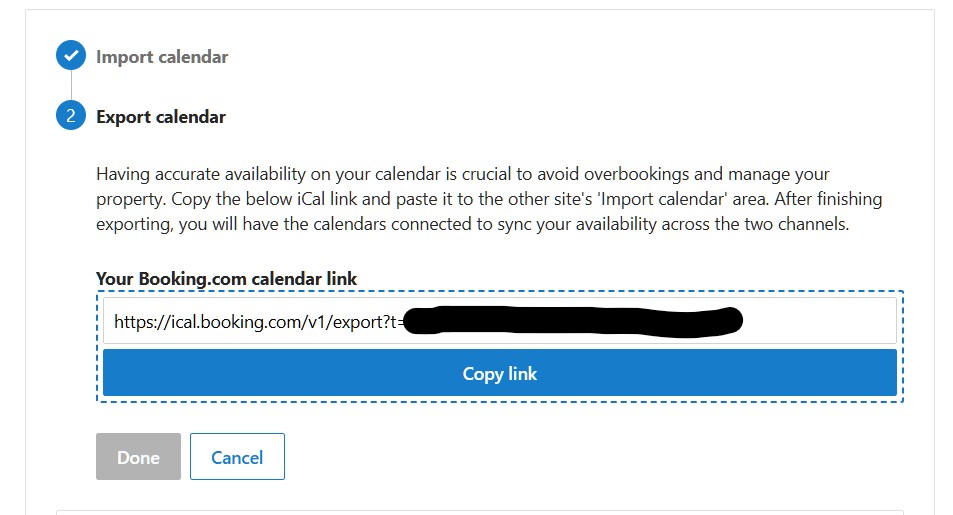
What is an iCal link?
iCal link is a special internet address (URL) that looks similar to this:
https://admin.booking.com/hotel/hoteladmin/ical.html?t=d3a33333333333333333333333
or
https://ical.booking.com/v1/export?t=d3a33333333333333333333333
Each room on Booking.com has a unique link address.
The link is made up of the:
- Site Address: https://admin.booking.com
- Where on the site to look: /hotel/hoteladmin/ical.html
- A code to create a search of the other party’s database: ?t=
- Your unique room code number: d3a33333333333333333333333
Where do I find it?
This unique link is found inside your Booking.com Extranet
Follow the steps below to access the link in your Booking.com Extranet:
- Log into your booking.com admin site
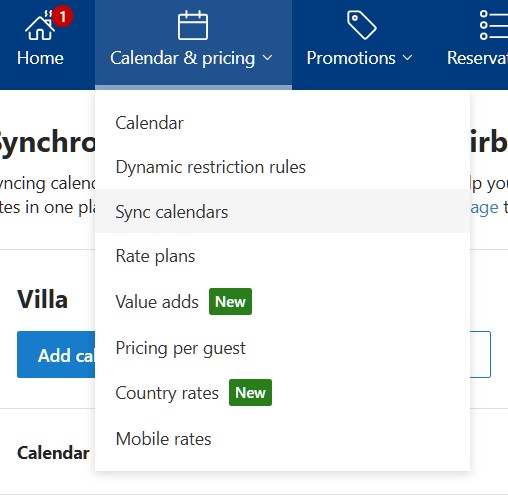
- Click on the “Calendar and pricing” menu.
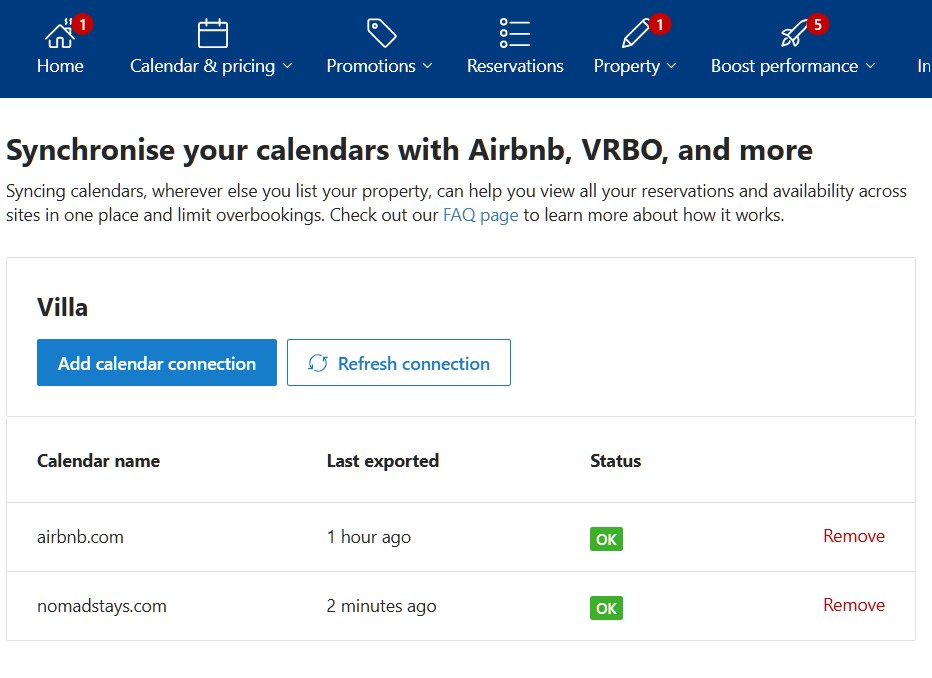
- Choose the “Sync calendar” option.
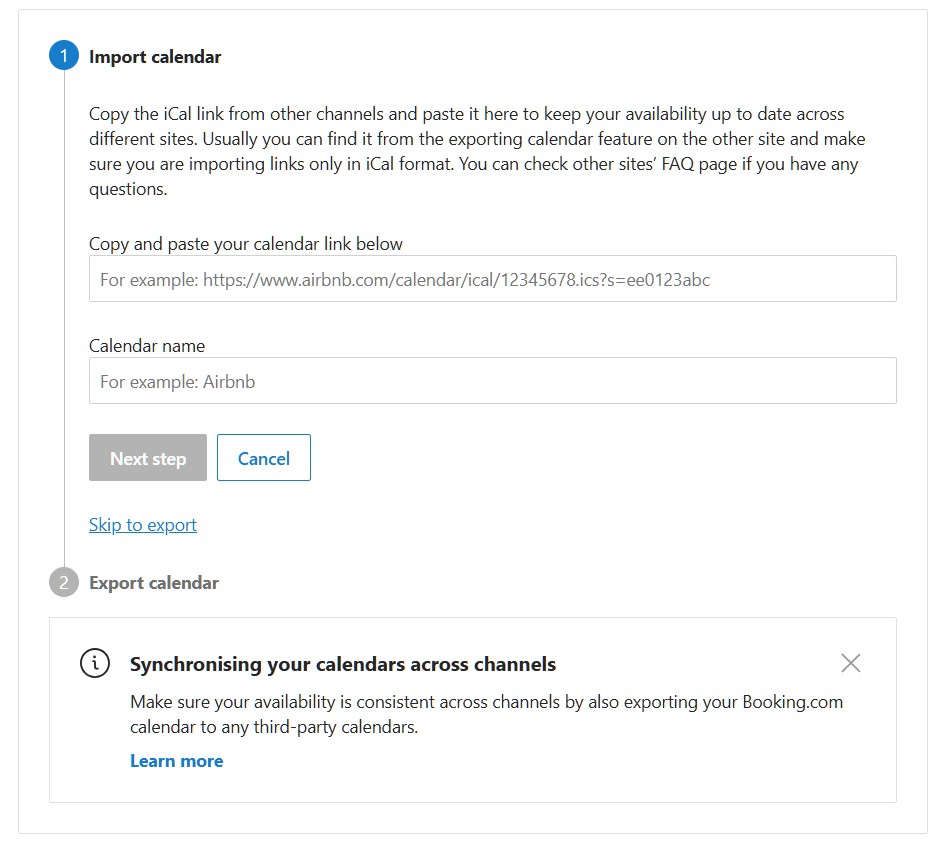
- Choose “skip to export”
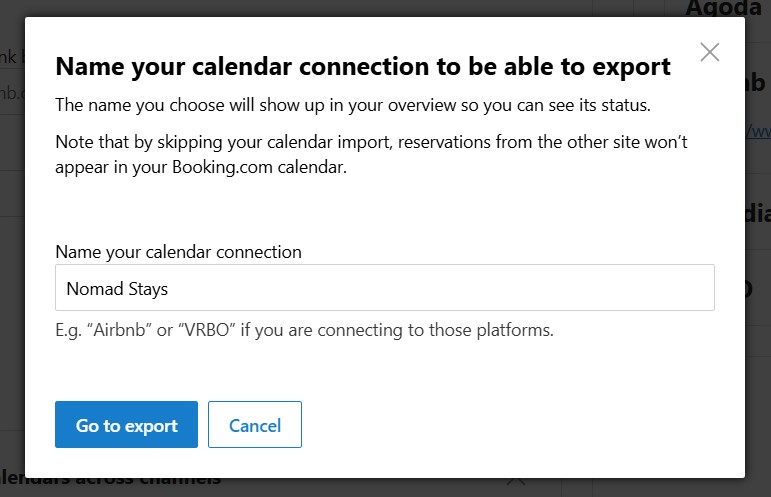
- Type “Nomad Stays” as your export connection name
- You’ll then see your Booking.com calendar link
- Copy that iCal link and insert it into your Nomad Stays room field for ical calendar.
Where do I add it?
Go to your Stay Dashboard, open your Stay, then Rooms (or Packages). Paste the iCal link into the Inbound iCal field for that room and click Test.
Once the test succeeds, the link is automatically saved to your room – there’s no need to email or WhatsApp it to us.